On-Page SEO refers to all measures that can be taken directly within the website in order to improve its position in the search engine rankings. Examples of this include measures to optimize the content & source code, inserting keywords, improve the meta title and description tags.
<p>This is an example of what your Title Tag and Meta Description will look like in Google search results. While Title Tags & Meta Descriptions are used to build the search result listings, the search engines may create their own if they are missing, not well written, or not relevant to the content on the page.</p>
<p>This is the piece of text that represents your content in the search results. It provides the information about the topic and context of your page. It will show up when any user shares your content on social media sites like Facebook or Twitter.</p>
<p>Page Title is important for ranking, which can increase the clickable factors. It is important to consider that search engines only show 60 characters of the title. Try to conclude the whole or the major portion of the title between 60 characters.</p>
<p>The description is used by search engines to describe your content in the search results. It will give a brief overview to the user about your content. It has a maximum of 156 characters.</p>
<p>The search engine will categorize the page under a certain topic using the keywords found in the page title. A powerful keyword in the page title will result in a better position in the search results.</p>
<p>The best way to spread brand awareness is by putting your brand name in the page title. You can put the name of your brand at the end of the title. It will not spoil the meaning of the title at the same time it will increase brand awareness.</p>
<p>By incorporating the keyword in the Meta Description, you can increase the CTR of your page. The keywords will be shown in bold letters if they are present in the Meta Description. It will also have a positive impact on the visibility of the page.</p>
<p>H1 Tags also contribute in improving ranking and an effective SEO practice. It can help keep the attention of your targeted audience on your site.</p>
<p>Ensure to use the keywords evenly all over the page. It must include title tag, description tag, image alt attribution, page URL, anchor texts of inbound and outbound links.</p>
<p>The ideal motive of this alt Attribute is to help the visually impaired audience, but it also has impressions in site SEO of your keywords, as search engines are also AI, which use that text to understand the image.</p>
<p>This tag describes your visually impaired audience to understand the image. The audio search results of the search engine will read this Alt Attribute. You can add these tags using any SEO plugins, if your site is on WordPress.</p>
<p>Search engine is an AI and runs to understand certain algorithms. The search engine will consider abc.com and www.abc.com different. www resolve can help you to get rid of the penalty for duplicacy.</p>
<p>In order to execute the indexing process, the special robots of search engines crawl through the web pages, but sometimes it may slow your pages. The Robots.txt file restricts or sets guidelines for the crawlers.</p>
<p>This is to assist search engines to navigate through the various pages in your site. Site is generated automatically, if you are using any SEO plugin on your WordPress. Along with WordPress, Joomla and Drupal also have plugins or addons to create an automated sitemap.</p>
<p>Open Graph tags are mostly used to control the link and URLs shared on social media sites. You can control what the content will be, when the link is shared, along with how it should be shown.</p>
<p>This code will understand your content and present it in a more informative way to the audience. It is a systematic representation of information, if you use it properly it can immensely boost your site.</p>
<p>The crawlers of search engines always look over useful contents, which are relevant and unique. Search engines consider such content as complete and can fulfill the search intent. According to the data presented by SEMRush, average pages that rank on the top of Google search results are approximately 1890 words</p>
User Experience
User Experience or UX is defined as any interaction a user makes with a product or service. The purpose of UX design is to build easy, efficient, relevant and a pleasing experience for the user.They act as a bridge to the customer and understand as well as fulfill the needs and expectations.
<p>User Experience or UX is defined as any interaction a user makes with a product or service. The purpose of UX design is to build easy, efficient, relevant and a pleasing experience for the user.They act as a bridge to the customer and understand as well as fulfill the needs and expectations.</p>
<p>Ensure your site is free from embedded objects such as Silverlight, Java, or Flash. You can use them only in case of specific enhancement. It will make your site compatible for all devices.</p>
<p>Favicon is the small icon of the business or website, it increase the brand visibility. Consider adding Favicon, as it will help the user to bookmark your page.</p>
<p>A generic “Page Not Found” error can spoil the user interest and they click away from your website. To encounter that, use a custom 404 page gives a better user experience. It will keep them engaged.</p>
<p>Communicate the website’s purpose and value proposition clearly to visitors. Intuitive Navigation: Ensure easy and logical navigation with a clear menu structure.</p>
<p>Keep forms concise and easy to complete with helpful error messages.</p>
Web Performance
Web performance refers primarily to the speed at which a website loads. This is important because shorter load times improve the user experience for your site on all internet connections.
<p>Keep your URLs short ( less than 15 characters ) and avoid long domain names when possible. A descriptive URL is better recognized by search engines.</p>
<p>Page size affects the speed of your website , try to keep your page size below 320 KB. Two of the main reasons for an increase in page size are images and JavaScript files.</p>
<p>The page speed can decide a whole lot of things. A higher loading time can give the user a chance to switch to a different site having similar information. This factor is vital for the SERP ranking.</p>
<p>Your site has very little time to impress the user; if that time is wasted on loading then the chance gets lower. The technology of Browser Caching and Compression will increase the speed of your site.</p>
<p>Heavy and bigger files are the main huddle, it makes your site load slower. GZIP Compression will compress the files and allow a faster network transfer. It can significantly reduce the size by 30% and less for all webpage and web files.</p>
<p>Embedded Objects such as Flash should only be used for specific enhancements. Although Flash content often looks nicer, it cannot be properly indexed by search engines.</p>
<p>Iframes can cause problems on your web page because search engines will not crawl or index the content within them. Avoid Iframes whenever possible and use a Noframes tag if you must use them.</p>
<p>Older HTML tags and attributes are declared as deprecated in HTML4 by the W3C - the consortium that sets the HTML standards. Browsers should continue to support deprecated tags and attributes, but eventually these tags are likely to become obsolete and so future support cannot be guaranteed.</p>
<p>Inline css is the css code residing in an html page under html tags not in an external .css file. Inline css increases the loading time of your webpage which is an important search engine ranking factor. So try not to use inline css.</p>
<p>Internal css is the css code which resides on the html page inside style tag. Internal css increases loading time since no page caching is possible for internal css. Try to put your css code in an external file.</p>
Home Page
The home page is of utmost importance in an eCommerce website as it serves as the first point of contact for visitors. It creates the initial impression and sets the tone for the entire shopping experience. An engaging and well-designed home page can capture user’s attention, showcase featured products, promote special offers, and guide customers to explore further, ultimately driving conversions and sales.
<p>Clear branding and logo refer to the consistent use of a distinct brand identity across an eCommerce website. This includes using the company's logo prominently on the site, maintaining brand colors and typography, and ensuring that the overall design aligns with the brand's values and image. Clear branding strengthens brand recognition and trust among customers.</p>
<p>An attractive hero banner or slider is a visually appealing and prominent section at the top of a webpage, often the homepage of an eCommerce website. It showcases captivating images or slides that highlight key messages, featured products, or current promotions. The hero banner/slider is designed to instantly grab visitor's attention and encourage them to explore further.</p>
<p>Intuitive navigation refers to a website's user interface design that is easy to understand and use, allowing visitors to find information or products effortlessly. It involves well-organized menus, clear links, and logical placement of content, ensuring a seamless and user-friendly browsing experience.</p>
<p>A prominent search bar is a highly visible and easily accessible search function on a website. It is usually placed prominently, such as at the top of the homepage or in the website's header. Users can enter keywords or product names into the search bar to quickly find specific information or products on the site.</p>
<p>Featured products or offers are prominently showcased items on an eCommerce website that are given special attention. They are typically products with high demand, new releases, or those on sale/discounted. Featuring these products on the homepage or category pages helps attract attention, increase visibility, and drive sales.</p>
<p>Customer reviews and testimonials are feedback and comments provided by previous customers about their experience with a product or service. They offer insights into product quality, customer service, and overall satisfaction. Displaying positive reviews and testimonials on an eCommerce website builds trust, credibility, and encourages potential customers to make a purchase.</p>
<p>A clear and concise value proposition is a brief statement that communicates the unique benefits and advantages a product or service offers to customers. It articulates why a customer should choose that particular product or service over competitors. A compelling value proposition helps to attract and retain customers by addressing their needs and solving their problems effectively.</p>
<p>Prominent call-to-action (CTA) buttons are eye-catching and strategically placed buttons on a website that prompt users to take specific actions, such as "Buy Now," "Sign Up," or "Learn More." They are designed to stand out from other elements and encourage visitors to engage, make a purchase, or complete desired conversions.</p>
<p>A featured content or blog section on a website is a dedicated area that Share valuable blog posts or articles related to your products.It offers relevant and engaging content to visitors, showcases expertise, and helps with SEO. The section often keeps users updated on industry trends and encourages repeat visits.</p>
<p>A special announcement bar is a horizontal section displayed prominently on a website to convey important messages or announcements. It can be used to notify customers about limited-time offers, sales, shipping updates, or any urgent information. The bar is attention-grabbing and remains visible across multiple pages, ensuring maximum visibility for the announcement.</p>
<p>A deals countdown timer is a visual element on an eCommerce website that displays a ticking clock or countdown to create urgency and encourage customers to take immediate action. It is commonly used for limited-time promotions or sales to motivate users to make a purchase before the offer expires, driving higher conversions and sales.</p>
Site Search
Site search is a fundamental aspect of any successful eCommerce website. It directly impacts user experience, conversion rates, and customer satisfaction. By investing in a powerful and user-friendly search feature, you can significantly improve the overall performance of your eCommerce site and increase your chances of success in the competitive online market.
<p>In an eCommerce website, a prominent search bar is a highly visible and easily accessible feature, usually located at the top of the homepage or header. It allows users to search for specific products by entering keywords or product names, simplifying the product discovery process and enhancing the overall shopping experience.</p>
<p>Auto-suggestions and autocomplete are features commonly found in search bars or text input fields. Auto-suggestions dynamically display relevant search queries or product names as users type, helping them find what they're looking for faster. Autocomplete predicts and completes the search query, reducing typing effort and improving the accuracy of the search results.</p>
<p>Spell correction and synonyms are search functionality enhancements. Spell correction automatically corrects misspelled search queries, ensuring users receive relevant results. Synonyms expand the search scope by considering related terms, so even if users use different words, the search engine can still find relevant content or products.</p>
<p>Mobile-friendly search refers to an optimized search function on a website that works seamlessly on mobile devices such as smartphones and tablets. It includes a search bar that is easy to access, responsive to touch, and displays search results in a user-friendly format, providing a smooth and efficient search experience for mobile users.</p>
Product Category Page
The product category page is crucial in an eCommerce website as it helps organize and present products in a structured manner. It enables easy navigation and enhances the user experience, allowing customers to discover products efficiently. By grouping related items, it simplifies the search process and encourages customers to explore more, increasing the chances of making a purchase and contributing to higher conversion rates.
<p>Clear category names and hierarchy refer to the organization and labeling of product categories in an eCommerce website. Each category should have a descriptive name that accurately represents the products it contains. Hierarchy involves structuring categories in a logical order, making it easier for users to navigate and understand the relationship between different product groups.</p>
<p>High-quality category images refer to visually appealing and well-composed pictures representing product categories on an eCommerce website. These images should be clear, sharp, and properly optimized for fast loading. Using high-quality images enhances the overall aesthetic appeal of the website and attracts customers to explore specific product categories.</p>
<p>Prominent category headings are clear and visually emphasized titles used on an eCommerce website's category pages. They immediately draw users' attention and provide a quick understanding of the content or products within the category. These headings make navigation easier, enhance user experience, and help customers find specific product groups more efficiently.</p>
<p>A clear call-to-action (CTA) is a direct and compelling instruction designed to prompt users to take a specific action. It typically appears as a button or link on a website, guiding visitors to perform tasks such as "Buy Now," "Sign Up," or "Learn More." A clear CTA enhances user engagement and drives conversions.</p>
<p>Breadcrumb navigation is a navigational aid on a website that displays the hierarchical path leading back to the homepage or main category page. It helps users understand their current location within the website's structure and enables easy navigation to higher-level pages, enhancing user experience and reducing the number of steps needed to return to previous pages.</p>
<p>In an eCommerce website, limited scroll refers to displaying a finite number of products or content on a single page to prevent endless scrolling. It presents a manageable selection of items, making it easier for users to view and compare products. Pagination or load more buttons are often used to access additional products.</p>
Product Listing Page
The product listing page displays a variety of items within a specific category, with each product having its own name, photograph, and price. An effective product listing page will attract the attention of visitors, increase clicks to individual product pages, and result in more sales.
<p>Clear and descriptive product titles are concise and informative names given to each item in an eCommerce store. They accurately represent the product, its main features, and key attributes, making it easy for customers to understand what the product is and quickly identify if it meets their needs or interests.</p>
<p>Concise product descriptions are brief and to-the-point explanations of the key features, benefits, and specifications of a product. They provide enough information for customers to understand the product's value proposition without overwhelming them with unnecessary details, helping to capture their interest and encourage them to explore further or make a purchase.</p>
<p>High-quality product images refer to visually appealing and professionally taken photographs that showcase products in detail. They have sharp resolution, accurate colors, and multiple angles to provide customers with a clear and realistic view of the product. High-quality images build trust, enhance product perception, and increase the likelihood of making a purchase.</p>
<p>Visible product prices refer to displaying the cost of products clearly and prominently on an eCommerce website. It ensures that customers can quickly and easily see the price of each item without having to search extensively. Visible prices improve transparency, aid in price comparison, and help customers make informed purchase decisions.</p>
<p>Pagination or load more button are methods used to manage the display of large product lists on an eCommerce website. Pagination divides the products into multiple pages, while the load more button dynamically loads additional products as users scroll down. These techniques help improve page loading speed and provide a more organized and user-friendly browsing experience.</p>
<p>SEO optimization in an eCommerce website refers to the practice of implementing strategies to improve the site's visibility on search engines. It involves optimizing product pages, meta tags, URLs, and content to rank higher in search results. The goal is to attract relevant organic traffic and increase the chances of converting visitors into customers.</p>
<p>Cross-selling opportunities refer to the practice of suggesting related or complementary products to customers based on their current selection or purchase. This strategy aims to encourage customers to buy additional items that complement their main purchase, increasing the average order value and enhancing the overall shopping experience by offering relevant and valuable product recommendations.</p>
<p>Product videos are visual content showcasing a product's features, functionality, and benefits through video format. They provide a more immersive and dynamic way for customers to understand the product and its use cases. Product videos can be used on eCommerce websites to enhance product descriptions, increase engagement, and influence purchasing decisions.</p>
Cart & Checkout
The cart and checkout pages are of utmost importance in an eCommerce website as they directly impact the conversion process. The cart page allows users to review and modify their selected items before proceeding to checkout. The checkout page is the final step where users make a purchase. Optimizing these pages ensures a seamless and secure buying experience, reducing cart abandonment and increasing sales.
<p>A visible cart icon is a small, recognizable symbol, typically represented as a shopping cart, that is displayed on an eCommerce website. It is usually placed in a prominent location, such as the top right corner of the page, and serves as a visual indicator of the user's current shopping cart status, showing the number of items added to the cart.</p>
<p>Product details provide comprehensive information about a product's features, specifications, and attributes. They include details such as product name, brand, dimensions, materials, colors, usage instructions, and any other relevant information. Product details help customers make informed purchase decisions by offering a clear understanding of what the product offers and its suitability for their needs.</p>
<p>Update and remove options on the cart page allow users to modify the contents of their shopping cart. The "update" option enables users to change the quantity of items, while the "remove" option lets them delete unwanted products. These options offer flexibility and convenience, ensuring users have control over their cart contents before proceeding to checkout.</p>
<p>The "Continue Shopping" call-to-action (CTA) is a button or link on the cart page that redirects users back to the online store to continue browsing products. It encourages users to explore more items, increases engagement, and provides a seamless shopping experience, allowing customers to add more products before finalizing their purchase.</p>
<p>The promo code field is a text input box on the cart or checkout page where users can enter a special code to apply discounts or promotions to their order. Customers can redeem valid promo codes to receive discounts, free shipping, or other promotional offers, encouraging them to complete their purchase.</p>
<p>A user-friendly form is a well-designed and intuitive input interface that simplifies the process of entering information. It minimizes the number of required fields, provides clear labels and instructions, uses logical formatting, and offers error validation. A user-friendly form enhances the user experience, reduces form abandonment, and increases form completion rates.</p>
<p>A guest checkout option allows customers to make a purchase on an eCommerce website without creating an account. It eliminates the need for users to register or log in, streamlining the checkout process and reducing friction. The guest checkout option provides a faster and more convenient way for first-time customers to complete their purchase.</p>
<p>Secure payment icons are visual representations of trusted and reputable payment methods displayed on an eCommerce website's checkout page. These icons, such as Visa, Mastercard, PayPal, or SSL certificates, assure customers that their payment information is protected and the transaction is secure, increasing confidence and trust during the payment process.</p>
<p>Shipping options refer to the various delivery methods available for customers to choose from during the checkout process on an eCommerce website. These options may include standard shipping, express shipping, overnight delivery, or international shipping, each with its associated costs and estimated delivery times, providing customers with flexibility and choice.</p>
<p>An order summary is a concise and comprehensive overview of a customer's selected items, prices, and total cost displayed on the checkout page before completing a purchase. It allows customers to review their order details and ensures accuracy before proceeding with the transaction.</p>
<p>Error handling refers to the process of identifying and managing errors that occur during the use of a website or application. It involves providing clear error messages to users, guiding them on how to correct issues, and ensuring a smooth and frustration-free user experience in the event of errors or input mistakes.</p>
<p>Progress indicators are visual elements that show users the completion status of a multi-step process, such as a checkout or form submission. They provide a clear indication of the user's progress and help manage user expectations, making the experience more transparent and reducing uncertainty during lengthy or complex tasks.</p>
<p>Display security and trust seals to instill confidence in the payment process. Trust seals are visual symbols or badges displayed on a website to assure visitors of the site's security and trustworthiness. These seals are often provided by reputable security companies or organizations and indicate that the website is safe to use for transactions, protecting users' personal information and financial data. Displaying trust seals helps build confidence and credibility among customers.</p>
<p>Utilize Exit-Intent popups to provide customers with a discount or incentive when they show signs of abandoning their purchase before completing the order. This approach aims to persuade them to finalize the transaction and increase the likelihood of completing the purchase.</p>
<p>An abandoned cart email is a follow-up email sent to customers who added items to their shopping cart but did not complete the purchase. It reminds them of the abandoned items and may offer incentives, discounts, or a call-to-action to encourage them to return to the website and complete the purchase.</p>
Confirmation Page
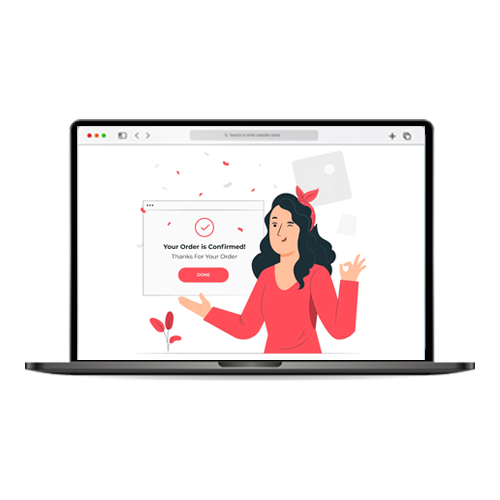
Your confirmation page presents a great opportunity to build customer loyalty and get more from your customers. Unfortunately, many eCommerce stores neglect this chance. To make sure you don’t miss out, follow these simple steps! Thanking customers for their purchase and providing them with order information is a good start, but there’s so much more that can be done.
<p>An order confirmation email is sent to customers after they have successfully completed a purchase on an eCommerce website. It serves as a receipt, providing details of the order, including the purchased items, quantities, total cost, shipping information, and order number, confirming that the transaction was successful.</p>
<p>Delivery updates are notifications sent to customers during the shipping process to keep them informed about the status of their order. These updates include information on order processing, shipment tracking, estimated delivery date, and any potential delays, ensuring customers are aware of their order’s progress and delivery timing.</p>
<p>Customer support information refers to contact details and resources provided to customers for assistance or inquiries. It includes phone numbers, email addresses, live chat support, and frequently asked questions (FAQs). Accessible customer support information ensures customers can easily reach out for help, enhancing their satisfaction and resolving any issues they may encounter.</p>
Website Tracking
You can’t measure what you don’t track. If you can’t measure it, you can’t improve it. Use analytics to track and analyze visitor insights. Set goals to measure and optimize performance. Leverage them all together to drive growth and boost your revenue.
<p>It helps you to track the performance of the various contents of your site. You check the audience behavior and demography of the audience. There is scope to understand the audience. It's an entirely free service.</p>
<p>This consists of a piece of code you need to incorporate in your site. It will target the audience who have visited your site, they will see ads on Facebook. It can track the conversion from your site, which can also improve your Facebook Ads experience.</p>
<p>In Google Analytics, you can put up "Goals," which are the actions you want your users to take (such as complete a sale). Google then tracks these conversions, allowing you to make educated judgments regarding your ad campaigns, sales pitch, and offers.</p>
<p>User testing and heat map tracking provide information on how your users engage with your website and help you understand how they interact with your content. This includes where they click as well as how far down they scroll. With this information in hand, you can optimise your website for a better user experience and higher conversion rates.</p>
Web Security
Securing a website from malfunctions, phishing, cyber crimes, or cyber-attacks to prevent data loss for the company or its clients is known as web security. Regularly scanning a website for vulnerabilities or conducting security tests is essential to safeguard against theft or loss caused by digital hackers.
<p>It is directly associated with the security of your site, and for the audience. It will keep your site free from attacks and the audience find the sites safe, which are having SSL certificates.</p>
<p>A system for identifying if humans or bots are inputting info on your landing page forms. The benefit of installing CAPTCHA is that you’ll reduce unwanted actions by bots from spam emails to injection attacks on your forms.</p>
<p>CDN refers to "content delivery network," and it’s designed to make your landing page load faster. It does this by caching information from your landing page. The network then serves the cached information from a server that’s in close physical proximity to your visitor, which speeds up load times. Faster load times result in an improved user experience and better SEO.</p>
Legal
Ensure the compliance of your website with national and international laws, rules, and regulations to safeguard your business.
<p>The General Data Protection Regulation (GDPR) is a comprehensive data protection law enacted by the European Union (EU) to enhance privacy rights and data protection for EU citizens. It regulates how organizations collect, process, and store personal data, and grants individuals greater control over their data, imposing strict penalties for non-compliance.</p>
<p>Privacy Policy is a legal document that informs users about the collection, use, and disclosure of their personal information when they interact with a website or service. It outlines the data collected, purpose, rights, and measures taken to protect user privacy, ensuring transparency and compliance with privacy laws.</p>
<p>Terms and Conditions, often referred to as T&C or Terms of Service (ToS), are legal agreements that set out the rules, rights, and responsibilities governing the use of a website or service. They outline the terms users must adhere to when accessing the platform, providing clarity on the relationship between users and the company.</p>
<p>Cookie Policy is a disclosure document on a website that explains how cookies and similar tracking technologies are used. It informs users about the types of cookies employed, their purpose, and how they can manage their preferences. The policy helps ensure compliance with data privacy regulations and promotes transparency in data collection practices.</p>
<p>A shipping policy builds trust by letting your users know upfront all the details of how you handle shipping. This includes specifics such as handling time, what carrier you use to ship, what shipping options you offer, and more.</p>
<p>Your website should clearly state your return and exchange policy. Displaying this policy prominently helps build trust, and it boosts conversions by making people feel more confident about purchasing goods and services through your business.</p>
<p>Website copyright refers to the legal protection granted to original creative content published on a website. It gives the website owner exclusive rights to control how the content is reproduced, distributed, and displayed. Unauthorized use or reproduction of copyrighted materials can result in legal action under copyright laws to protect the creator’s intellectual property.</p>
BOOK AN APPOINTMENT NOW!
Ready to take the next step? Schedule your appointment today to receive personalized assistance, expert advice, and solutions tailored to your needs. Our team is here to help you achieve your goals and make your experience a seamless and enjoyable one. Don’t wait, book now!